

GENERATE ACCEPTANCE FEES INVOICE
GENERATE ACCEPTANCE FEES INVOICE

Press the enter key on your keyboard, the following screen will appear.

3.Type in your registration number as the username, then type in your password. Press the enter key or click on the login button to see the following screen

4.From the menu items on the left, click on the “ACCEPTANCE” to see the next screen as shown below. Observe the second dropdown menu under “ACCEPTANCE”

5. Click on “Get Acceptance Invoice”. You will notice a dialog box as in screen below (Read through this procedure carefully to understand the due process of paying your school fees).

6. After reading the procedure, click on the “x” mark at the right hand side of the dialog box to enable you see the main screen , which will appear as follows:

7. Click on the drop down key on “Select Session” to select the session of the invoice you want to generate
8.Click on the drop down key on “Select Entry Level” to select entry level
9.Click on the drop down key on “Current Level” to select the level you are in
10.Click on “Generate” button. The invoice will appear as shown below.

11. Print the Invoice, then follow the “school Fees Payment Procedure”, to pay your Acceptance fees in the bank.
Kindly click on DOWNLOAD to get the offline version
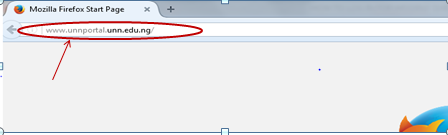
- Type in the address bar on your browser and type in the portal url (unnportal.edu.ng) as shown below.
Press the enter key on your keyboard, the following screen will appear.
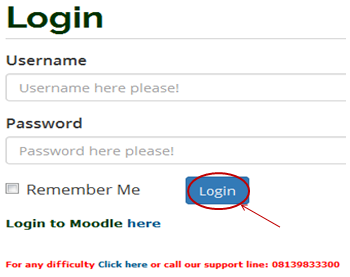
3.Type in your registration number as the username, then type in your password. Press the enter key or click on the login button to see the following screen
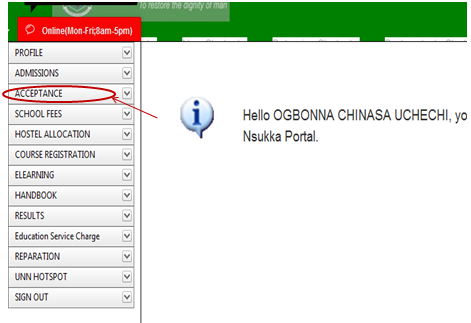
4.From the menu items on the left, click on the “ACCEPTANCE” to see the next screen as shown below. Observe the second dropdown menu under “ACCEPTANCE”
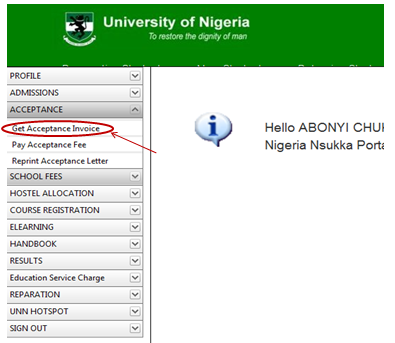
5. Click on “Get Acceptance Invoice”. You will notice a dialog box as in screen below (Read through this procedure carefully to understand the due process of paying your school fees).
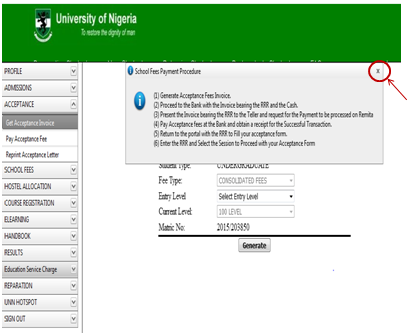
6. After reading the procedure, click on the “x” mark at the right hand side of the dialog box to enable you see the main screen , which will appear as follows:
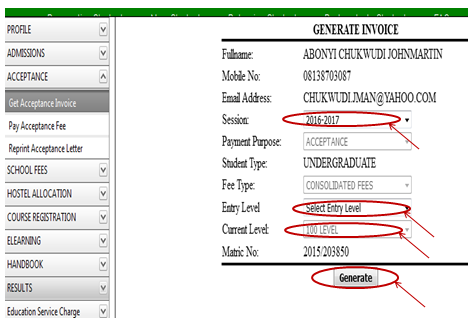
7. Click on the drop down key on “Select Session” to select the session of the invoice you want to generate
8.Click on the drop down key on “Select Entry Level” to select entry level
9.Click on the drop down key on “Current Level” to select the level you are in
10.Click on “Generate” button. The invoice will appear as shown below.
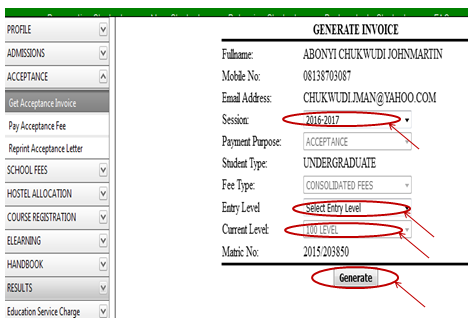
11. Print the Invoice, then follow the “school Fees Payment Procedure”, to pay your Acceptance fees in the bank.
Kindly click on DOWNLOAD to get the offline version

No comments:
Post a Comment